Camera RawX icon

Camera RawX

Unsupported RAW files, now open instantly with RawBridge™.

Camera RawX brings two macOS extensions — RawThumbnail and RawQuickLook — that let Finder display thumbnails and full-resolution Quick Look previews for camera RAW files macOS doesn't support natively. HDR RAW files preview in full HDR on EDR-capable Macs*, with the same dynamic range ApolloOne delivers. Powered by the RawBridge™ engine, the same high-performance RAW decoder used in ApolloOne. Supports Canon CR3, Nikon HE/HE* NEF, Fujifilm compressed RAF, Sony, Olympus, Panasonic, Samsung, Sigma Foveon, and Adobe DNG. Choose between the built-in RAW engine or embedded JPEG previews for speed, and optionally apply ApolloOne Quick Edit adjustments.
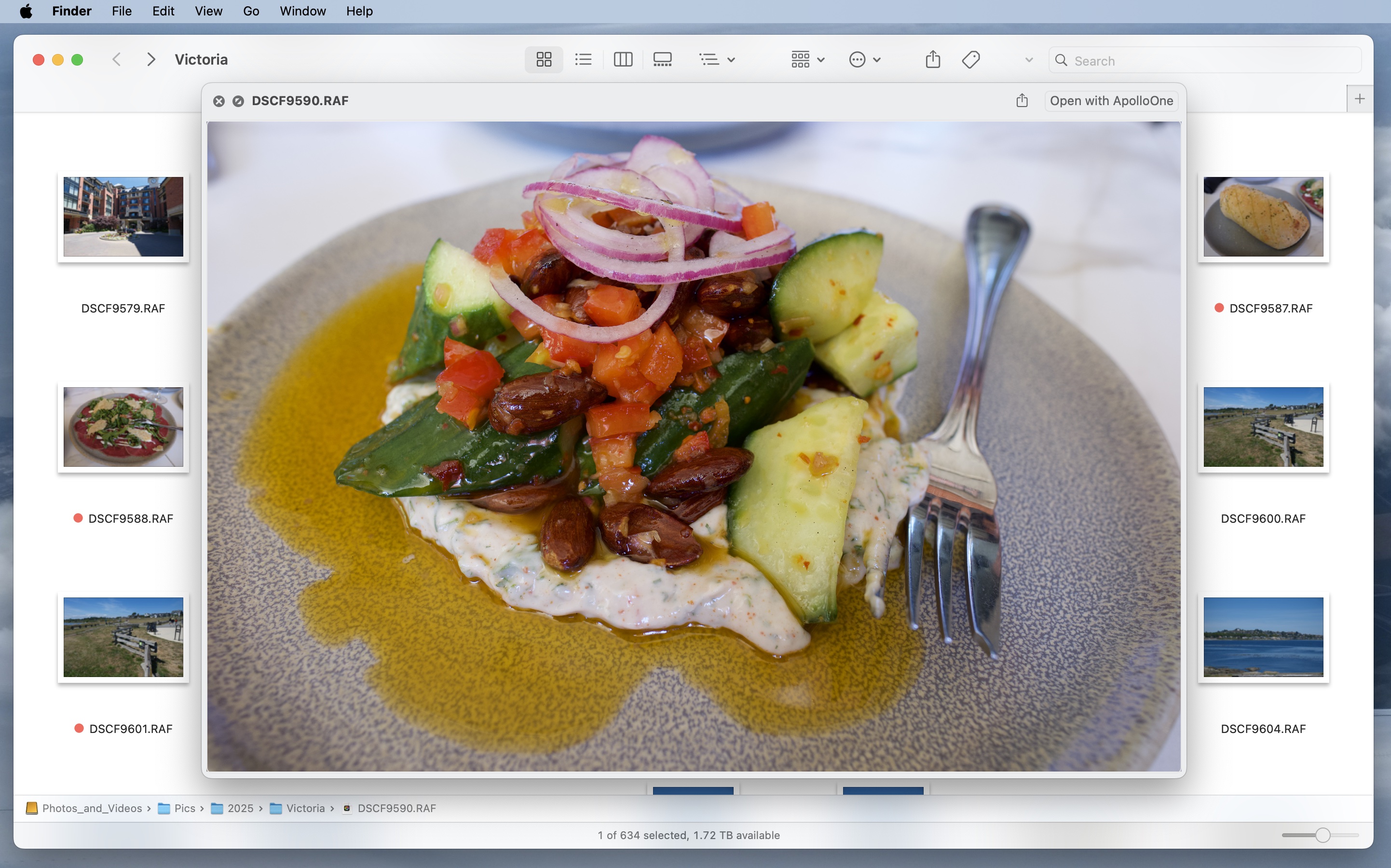
Full-Resolution Quick Look

Press spacebar on any unsupported RAW file in Finder and get an instant full-resolution preview — decoded by RawBridge™, not a tiny embedded thumbnail. Open directly in ApolloOne with one click.

Camera RawX Quick Look preview in Finder

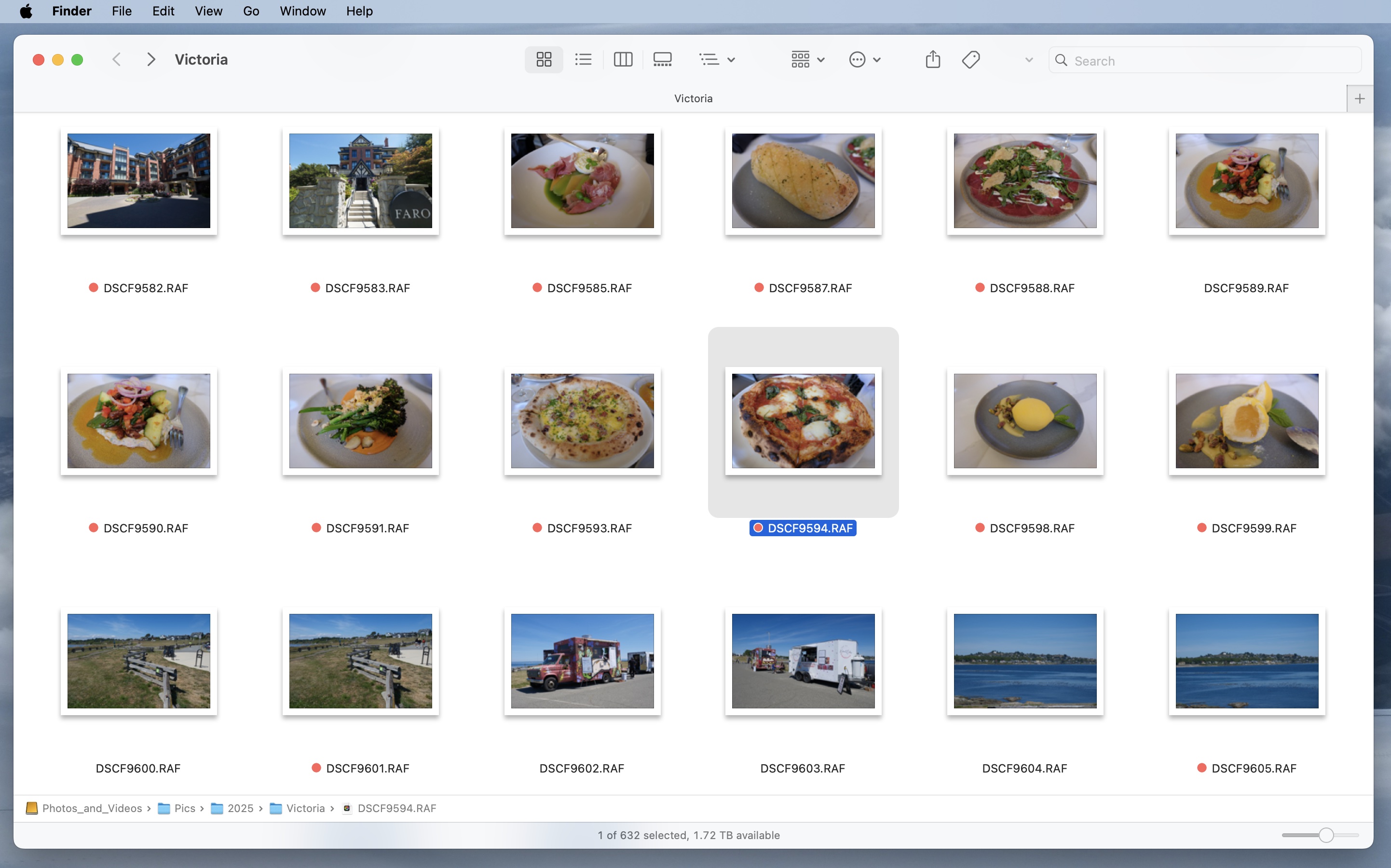
Finder Thumbnails

No more generic file icons. Camera RawX generates real thumbnails for every supported RAW format, so you can browse and identify images in Finder's icon view without opening any app.

Camera RawX Finder thumbnails for RAW files

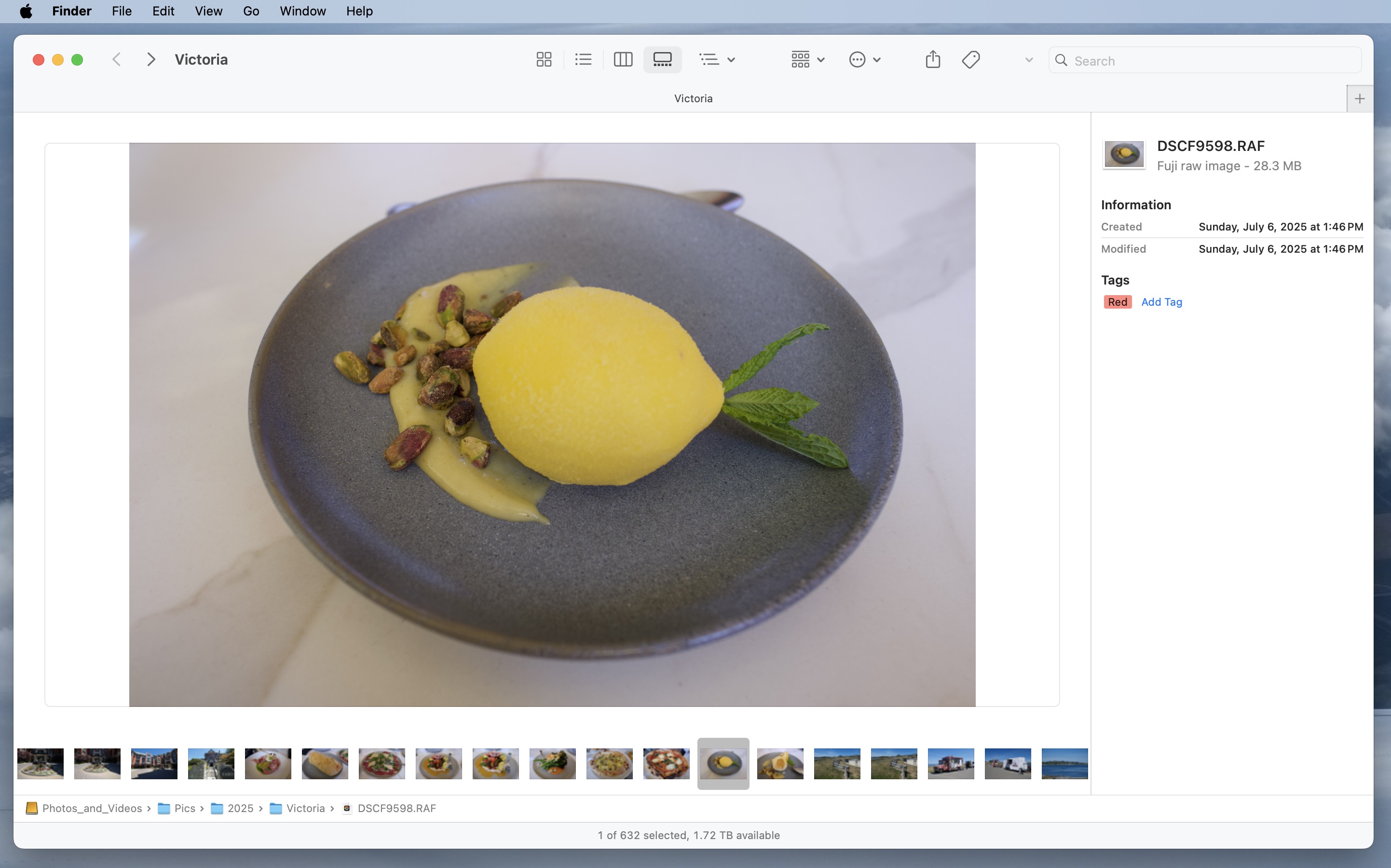
Gallery View with Filmstrip

Finder's gallery view works beautifully with Camera RawX — a large preview with a filmstrip of thumbnails at the bottom for quick navigation, plus file metadata in the sidebar. No extra app needed for a first pass.

Camera RawX gallery view with filmstrip in Finder

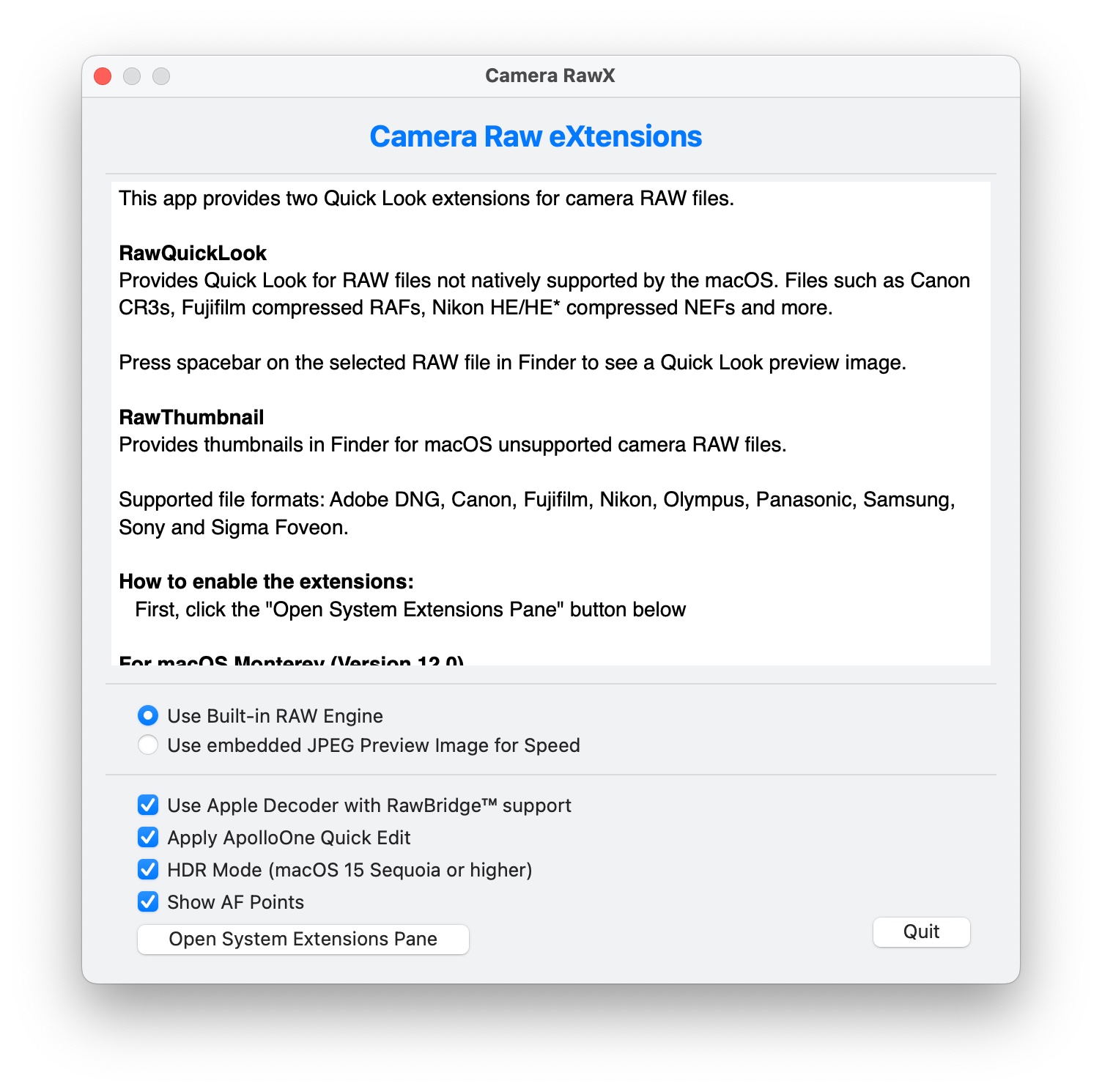
Simple Setup, Flexible Options

One window, two extensions. Choose between the built-in RAW engine or embedded JPEG previews for speed. Enable Apple Decoder with RawBridge™ support and optionally apply ApolloOne Quick Edit adjustments to your previews.

Camera RawX settings window
Camera RawX icon

Ready to get Camera RawX?

One-time purchase. No subscription.

Download on the Mac App Store

* HDR display requires an EDR-capable screen: a MacBook Pro with Liquid Retina XDR (14″ or 16″, 2021 or later), or any Mac paired with an Apple Studio Display, Apple Studio Display XDR, 30″ Apple Pro Display XDR, or a compatible third-party HDR display. Peak brightness varies: up to 600 nits on Studio Display, 1,600 nits on Pro Display XDR, and 2,000 nits on Studio Display XDR. SDR-only Macs display HDR images in SDR with automatic tone-mapping.