ApolloOne icon

ApolloOne

The fastest image viewer on the planet.

WIRED's Best Image Viewer two years running, now with full HDR support. Browse at up to 32 fps on M1 Ultra with 64-bit precision and 10-bit Liquid Retina display support — every image displayed at full resolution, not a scaled-down preview. Non-destructive Quick Edit with InstaBake™ for instant JPEG output via AirDrop or drag-and-drop. Full EXIF and IPTC metadata editing, GPS mapping with Google Street View, autofocus point display, batch renaming and conversion, split-view comparison, and video playback with frame-by-frame scrubbing — all without importing a single file. Supports RAW, JPEG, HEIF, TIFF, PNG, and 40+ camera formats through the RawBridge™ engine, in 11 languages.

HDR Display & Export

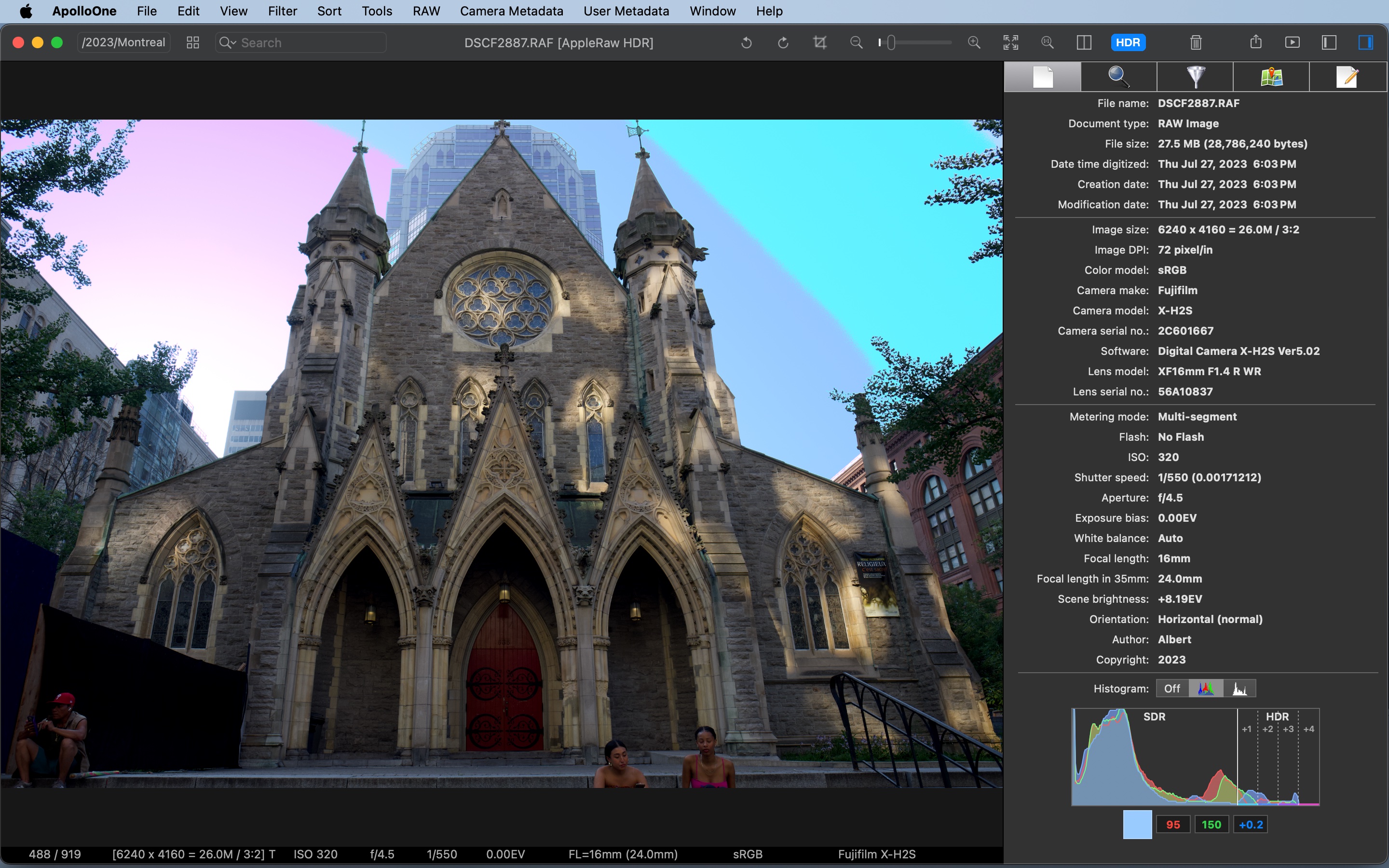
See your RAW files with full dynamic range on HDR-capable Macs* — 10-bit color, EDR-aware rendering, and a one-click HDR toggle in the toolbar. Filmstrip thumbnails render in HDR too, and a dual SDR + HDR histogram shows how much of your image pushes into the HDR highlight range. Export full HDR to AVIF or JPEG XL in PQ colorspace, gain-map JPEG and HEIC that stay viewable on SDR displays, or scene-linear OpenEXR. Supports HDR RAW, Apple gain-map HEIC/JPEG, PQ-encoded AVIF, JPEG XL, and OpenEXR.

ApolloOne HDR mode with HDR toggle in toolbar, HDR filmstrip thumbnails, and dual SDR + HDR histogram

HDR Visualizer

See exactly where your highlights push past SDR white. Four false-color bands — cyan at +1 EV, blue at +2 EV, purple at +3 EV, and magenta at +4 EV — overlay the image to show how bright each highlight actually is. Hover over any band in the histogram to isolate just that zone on the image.

Hover any pixel to read its per-channel value in the inspector's RGB patches — 0–255 for SDR, +X.X EV for channels that extend into HDR. Exact headroom, per channel, to a tenth of a stop.

ApolloOne HDR Visualizer showing cyan, blue, purple, and magenta false-color bands on the sky above a cathedral

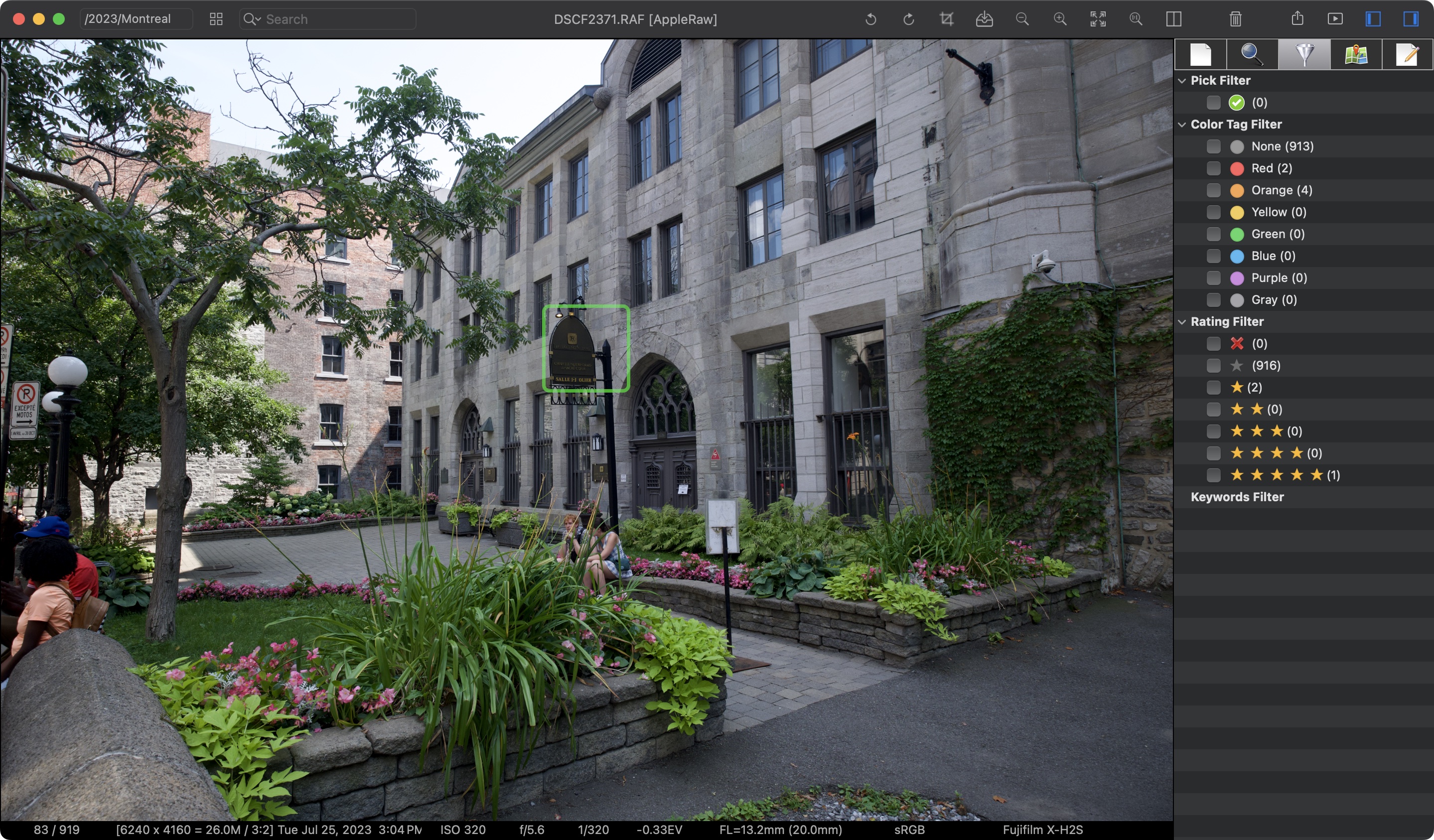
Autofocus Point Display

See exactly where your camera focused. ApolloOne reads AF point data embedded in your RAW and JPEG files and overlays them directly on the image — so you can instantly verify focus accuracy without zooming in. It also displays faces detected by the camera from embedded metadata. A feature no other viewer offers.

ApolloOne autofocus point overlay on image

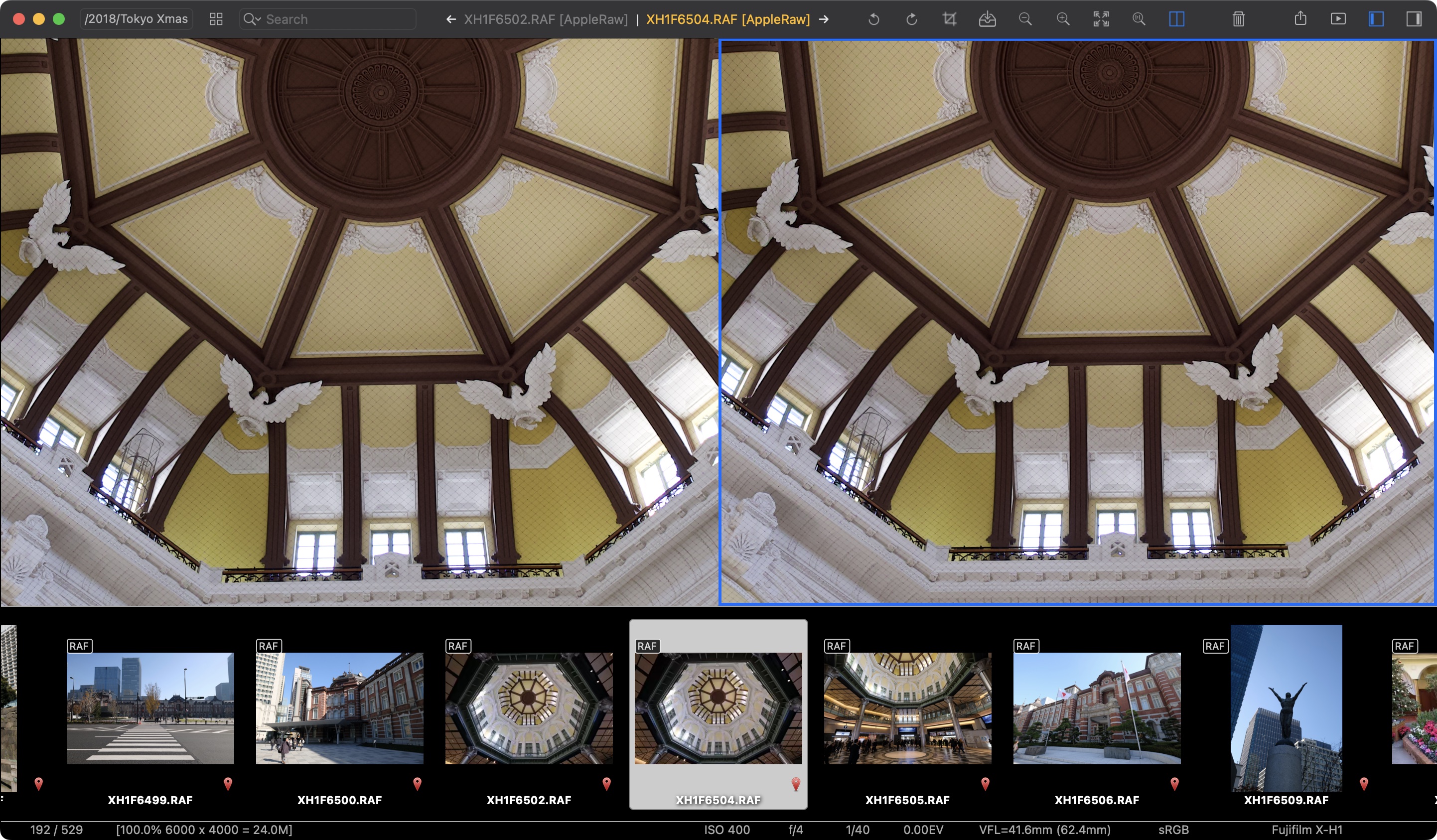
Side-by-Side Comparison

Compare two images simultaneously with split view and synchronized zoom. Perfect for picking the best shot from a burst, comparing RAW vs JPEG, or evaluating different compositions — with full EXIF and map context alongside.

ApolloOne side-by-side comparison mode

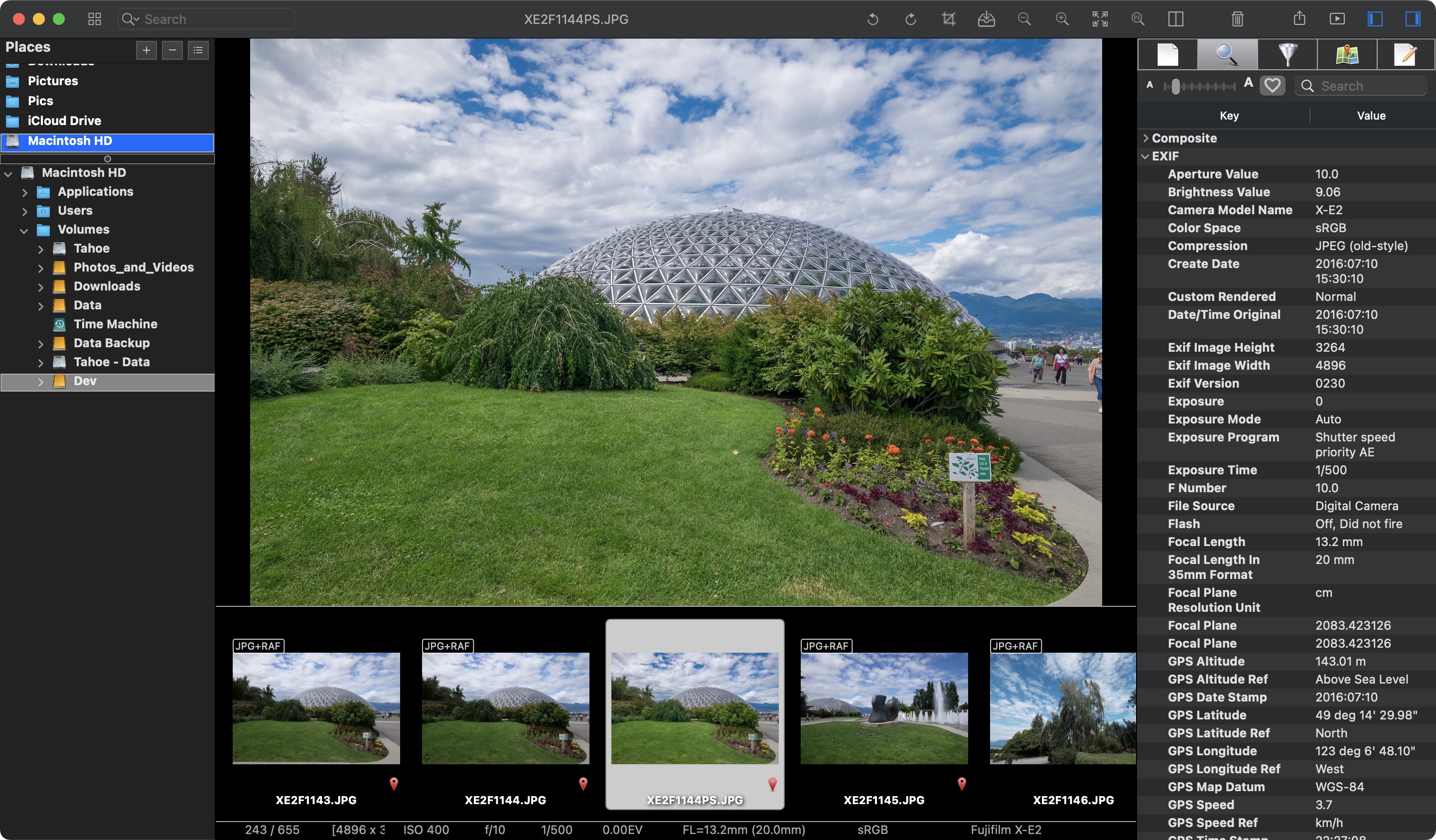
Deep EXIF & Metadata

Every detail your camera records, at a glance. A searchable metadata inspector shows EXIF, GPS, lens info, and more — alongside a full Places browser for navigating your photo library by folder or external drive. Double-click any editable field to change it on the fly — no separate dialog needed.

ApolloOne EXIF metadata inspector with Places browser

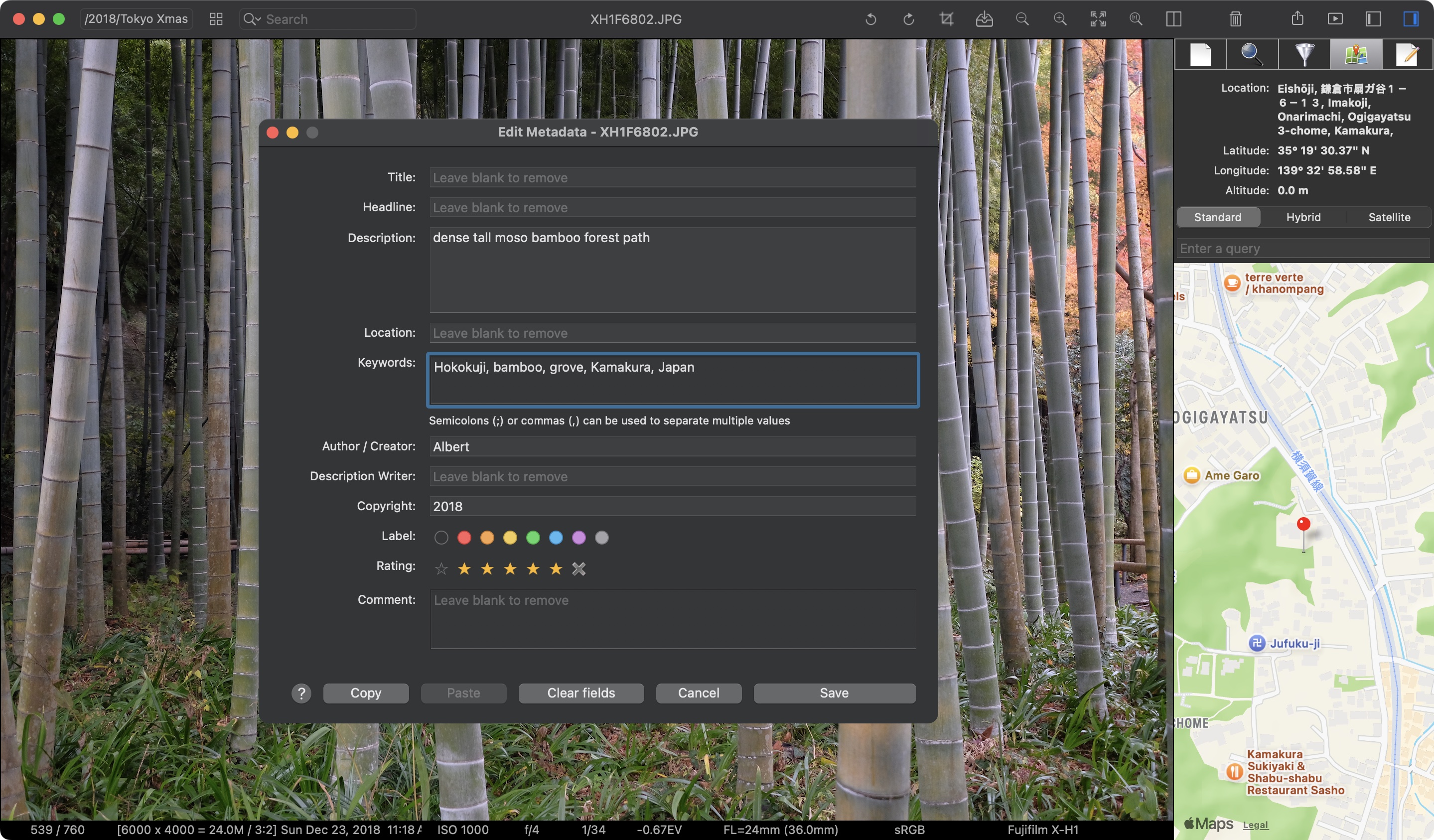
Tagging, Rating & Keywords

Organize your library the way you think. Add titles, descriptions, keywords, locations, and copyright — all written as XMP-standard metadata directly into the file. 5-star rate and color-label images for quick culling, with support for both XMP labels and macOS Finder color tags — so your tags stay visible in Finder too. Copy and paste metadata across files in batch.

ApolloOne metadata editor with keywords, star rating, and color labels

Contact Sheet & Histogram

Browse hundreds of images in a thumbnail grid with RAW+JPEG pair badges and GPS indicators. Select any image to see full file details, camera settings, and a live RGB histogram — all without leaving the grid.

ApolloOne thumbnail grid with histogram

GPS & Built-in Maps

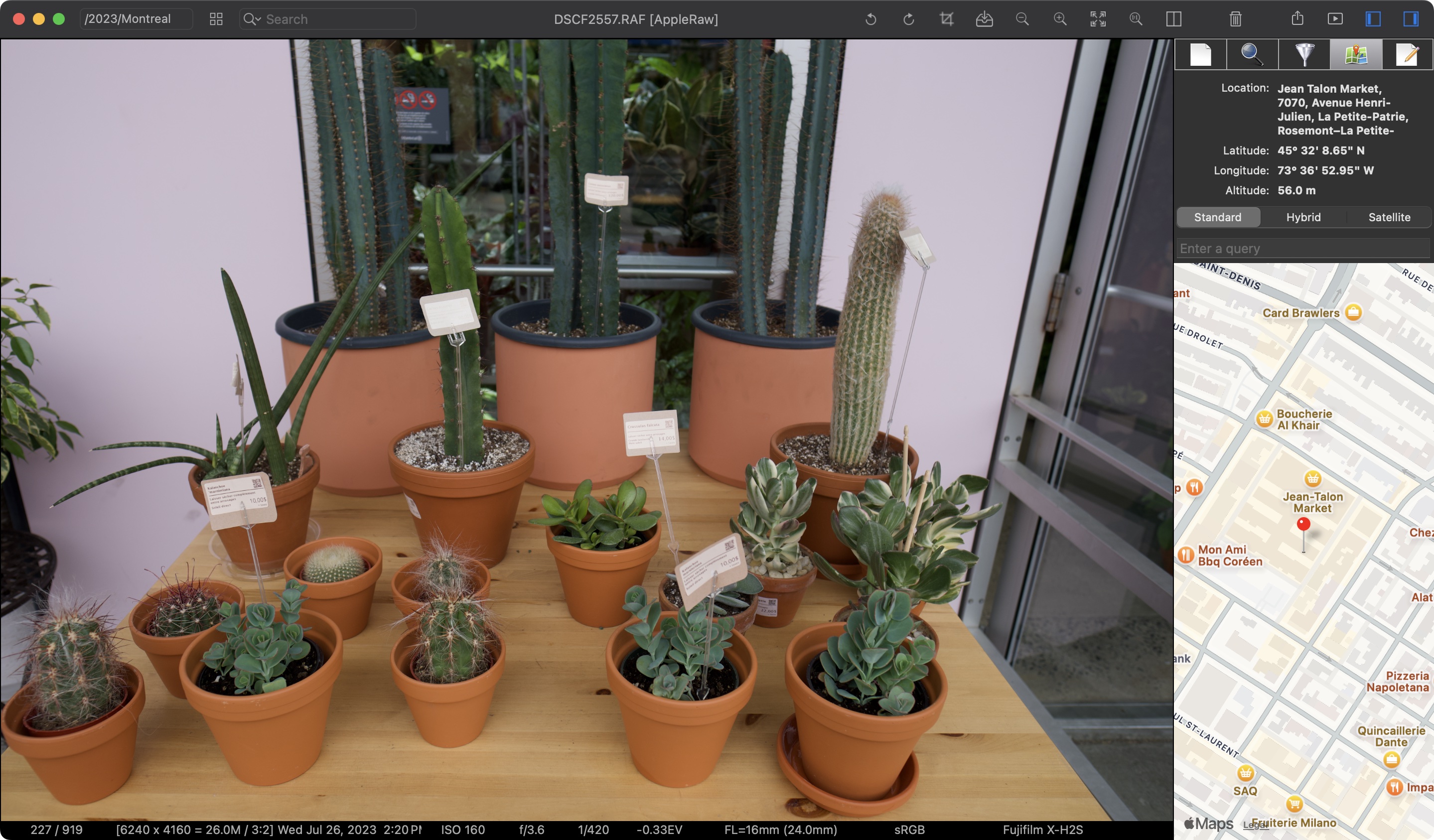
Every geotagged photo shows its location on an embedded Apple Maps panel with reverse-geocoded place names, coordinates, and altitude. Switch between Standard, Hybrid, and Satellite views — or search for any location directly from the map.

ApolloOne GPS location with embedded Apple Maps

Google Street View

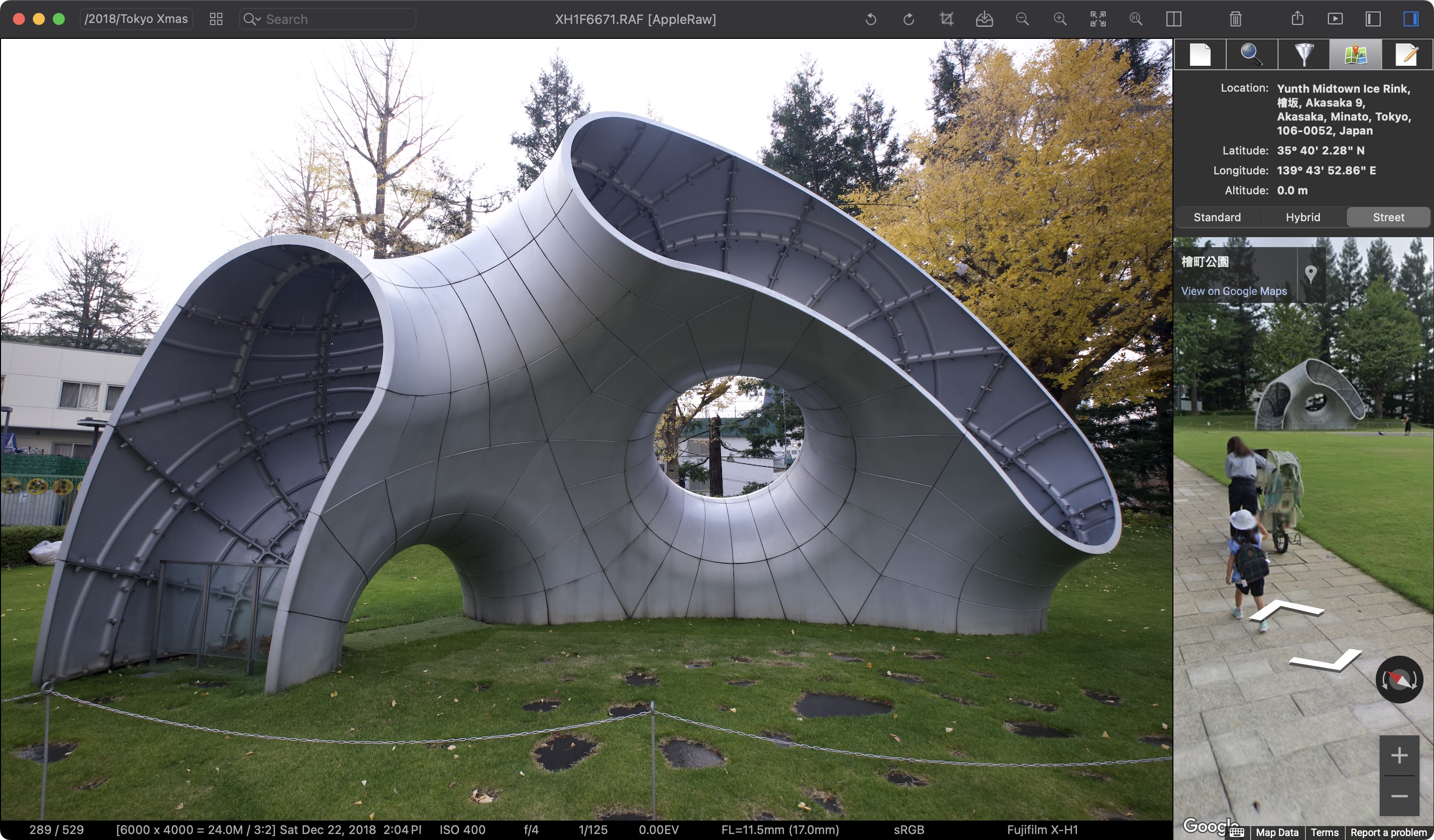
Go beyond the pin. Drop into Google Street View right from the sidebar to see the actual surroundings where you took the photo — no browser needed. Perfect for revisiting a location or scouting the area around a shoot.

ApolloOne GPS with Google Street View

Quick Edit

Non-destructive adjustments right inside the viewer. Tweak exposure, highlights, shadows, temperature, tint, contrast, saturation, vibrance, and unsharp mask — then export instantly with InstaBake™ via AirDrop or drag-and-drop. No round-trip to another app required.

ApolloOne Quick Edit panel with adjustment sliders and histogram
ApolloOne icon

Ready to try ApolloOne?

Free to download. 14-day free trial for Pro Edition features. Subscription and one-time purchase perpetual licenses available.

Download on the Mac App Store

After the trial, ApolloOne continues to work as a free edition — no subscription required, no lockout. Upgrade whenever you're ready.

* HDR display requires an EDR-capable screen: a MacBook Pro with Liquid Retina XDR (14″ or 16″, 2021 or later), or any Mac paired with an Apple Studio Display, Apple Studio Display XDR, 30″ Apple Pro Display XDR, or a compatible third-party HDR display. Peak brightness varies: up to 600 nits on Studio Display, 1,600 nits on Pro Display XDR, and 2,000 nits on Studio Display XDR. SDR-only Macs display HDR images in SDR with automatic tone-mapping.