ApolloOne GO icon

ApolloOne GO

Cull your shoot where you shot it.

ApolloOne GO brings the ApolloOne workflow to iPad and iPhone — a fast RAW viewer and culling tool for reviewing the day's shoot in the field, long before the laptop comes out. Browse any folder, external drive, or SD card straight from the Files app — no import, no library — or plug the camera itself into the USB-C port and browse the shoot right off the body. View RAW files at full resolution with HDR display* and AF points, cull with two thumb-sized buttons, and let your picks travel: decisions are written as standard Finder color tags that sync through iCloud, so ApolloOne on your Mac sees them the moment you're back at your desk. Powered by the same RawBridge™ engine as ApolloOne and Camera RawX.

Coming soon to the App Store.
A Real RAW Viewer, in the Field

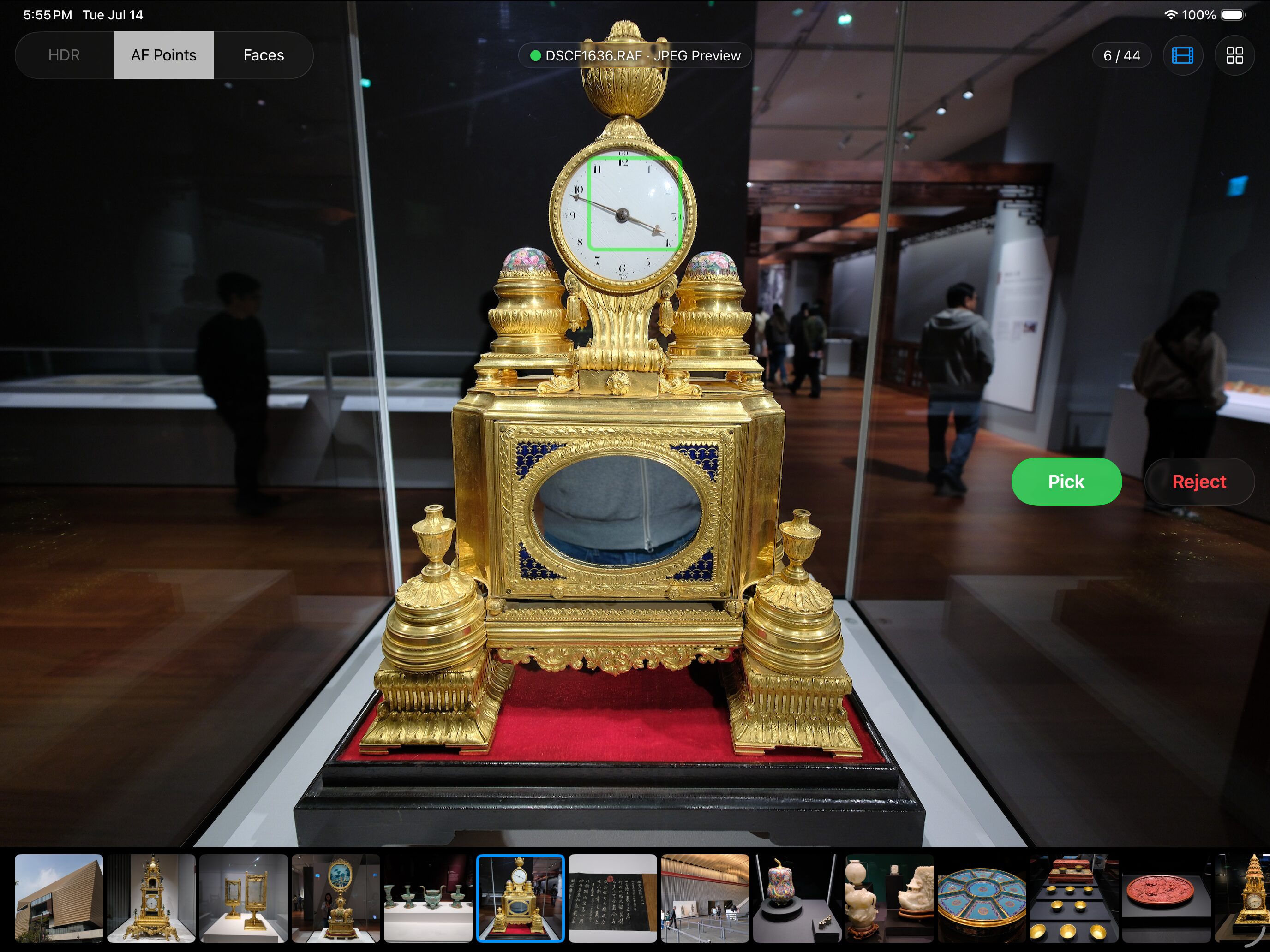
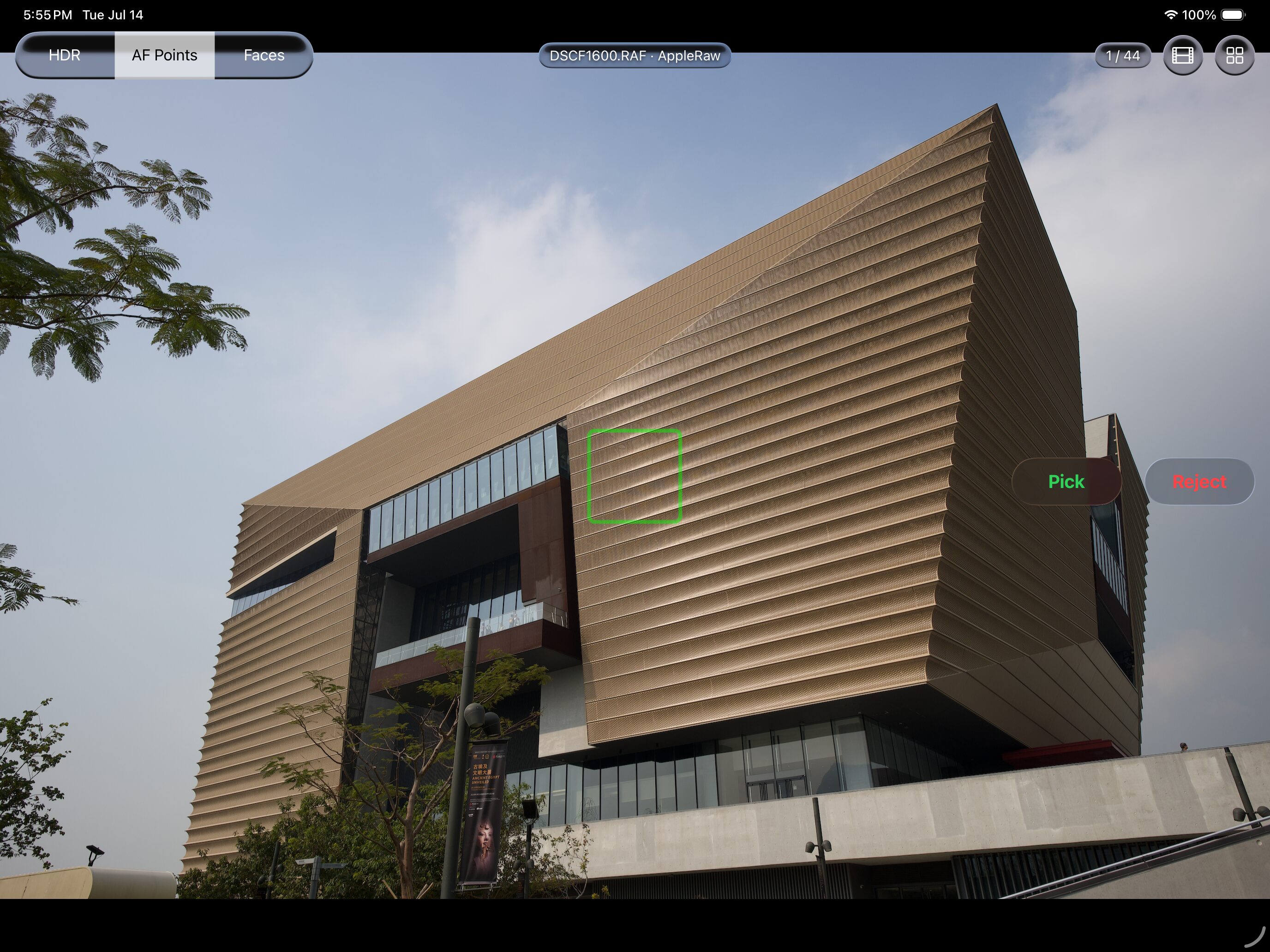
Pop the card into a USB-C reader — or open any folder in Files — and swipe through the shoot at full RAW resolution, with HDR display on HDR-capable devices*, or the embedded JPEG preview when speed matters most. Overlay the AF points and faces your camera recorded to verify focus at a glance, and see exactly which decoder rendered each file, right in the title badge.

ApolloOne GO viewer on iPad with AF point overlay, HDR / AF Points / Faces toggles, and Pick and Reject buttons

Plug In the Camera Itself

No card reader with you? Connect the camera body straight to the iPad's USB-C port — the camera shows up in ApolloOne GO through the same protocol the Photos app uses for import, so it works even with cameras that never mount as a drive. Browse the card in a fast thumbnail grid, open full-screen embedded JPEG previews with pinch-zoom to 100% — complete with AF point and face overlays — then select the keepers and import exactly those, at USB wire speed. Rejects never leave the camera, and a whole browsing session barely touches the camera's battery.

Culling Built for Your Thumbs

Two buttons sit right in the arc of your thumb: green to pick, red to reject, tap again to clear. Mirrored placement for left-handed use, optional on-screen navigation buttons for one-handed review, and a filmstrip for jumping around the shoot. No stars, no flags — just the fast keep-or-kill pass that gets a day's shoot down to the images worth editing.

ApolloOne GO viewer with the Pick button active, a green picked indicator on the file name, and a filmstrip along the bottom

Your Picks Land on Your Mac

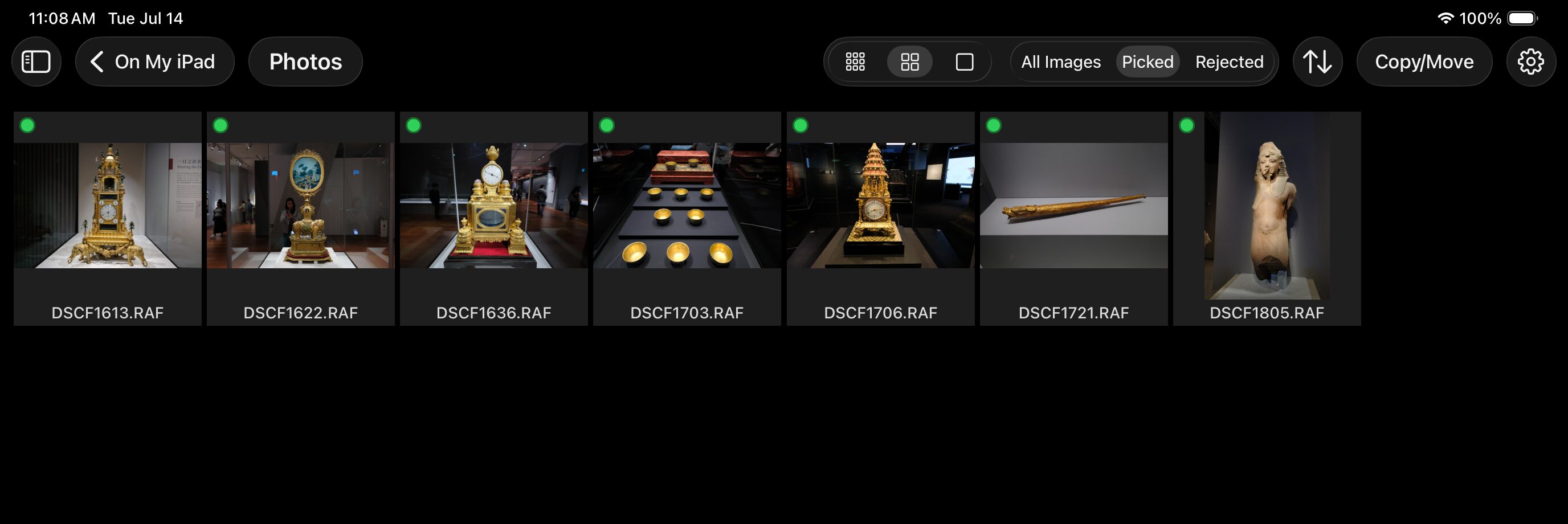
GO writes every decision as a standard macOS Finder color tag — green for picks, red for rejects — synced through iCloud Drive. Open the same folder on your Mac and the decisions are simply there: filter and finish in ApolloOne, or work with the tags directly in Finder. No export step, no database, no proprietary sidecar files.

ApolloOne GO contact sheet filtered to picked images, each marked with a green tag dot

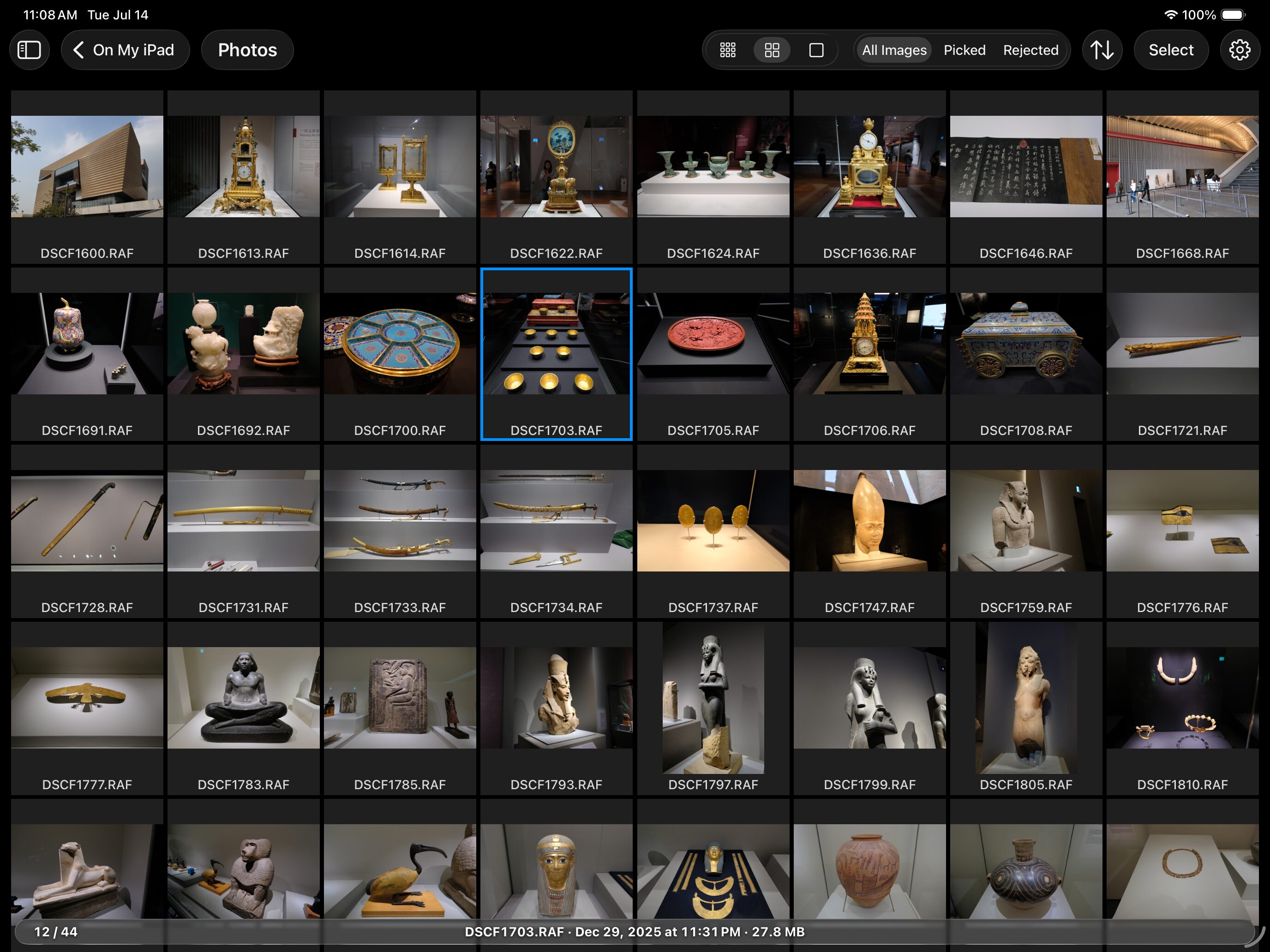
Contact Sheet

Browse the whole shoot in a thumbnail grid with three zoom levels, sorting, and one-tap filters for All, Picked, and Rejected images. The status bar keeps the selected file's name, capture date, and size in view — so you always know what you're looking at.

ApolloOne GO contact sheet showing a grid of RAW thumbnails with filters and file info bar

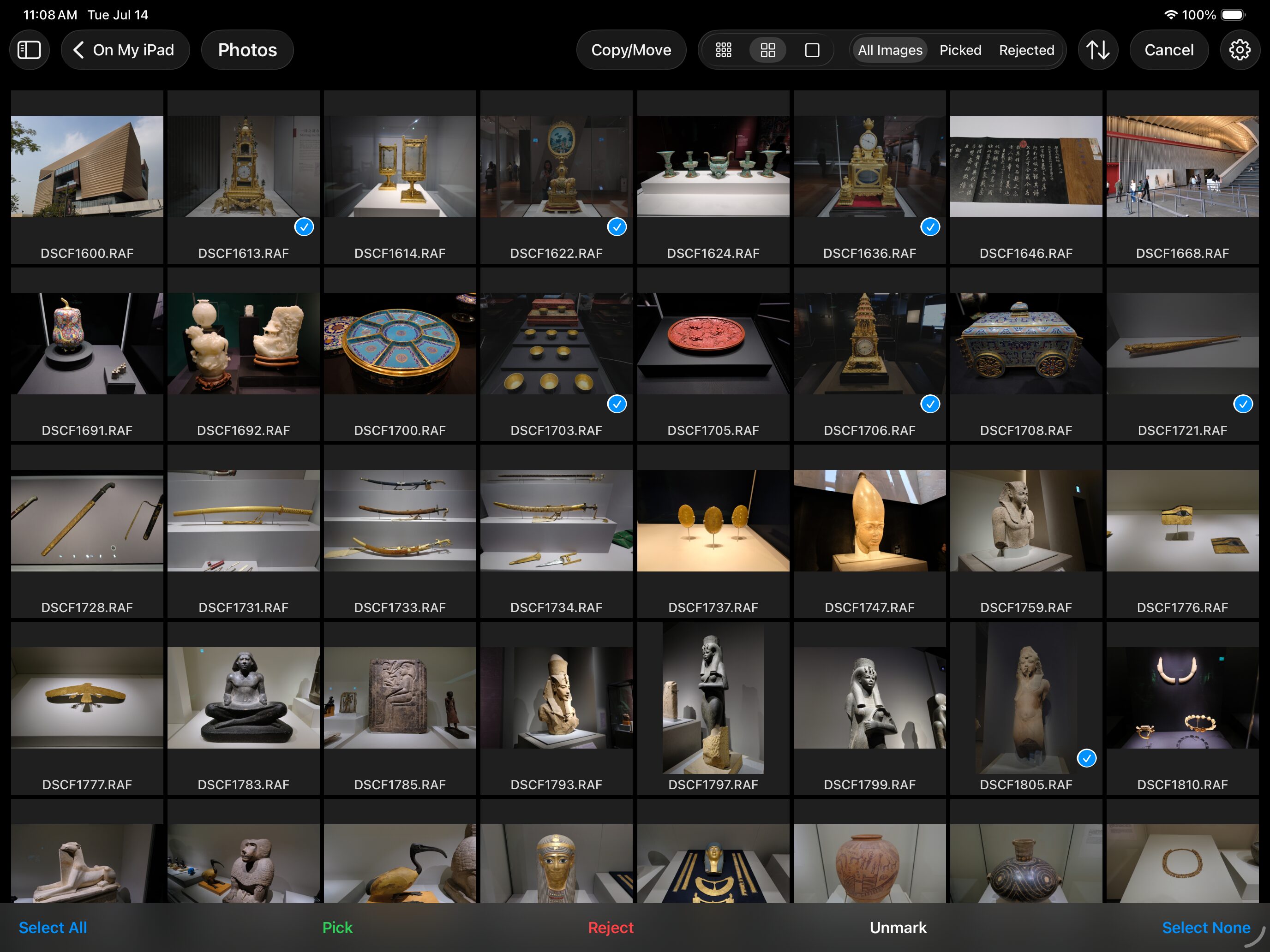
Batch Culling & File Operations

Select any range of images and pick, reject, or unmark them in one motion — or go straight to file operations: copy, move, delete, or share. Filter to your picks and copy them into a folder, or clear the rejects before they ever reach your Mac.

ApolloOne GO batch selection with Select All, Pick, Reject, Unmark, and Select None controls

AirDrop, Three Ways

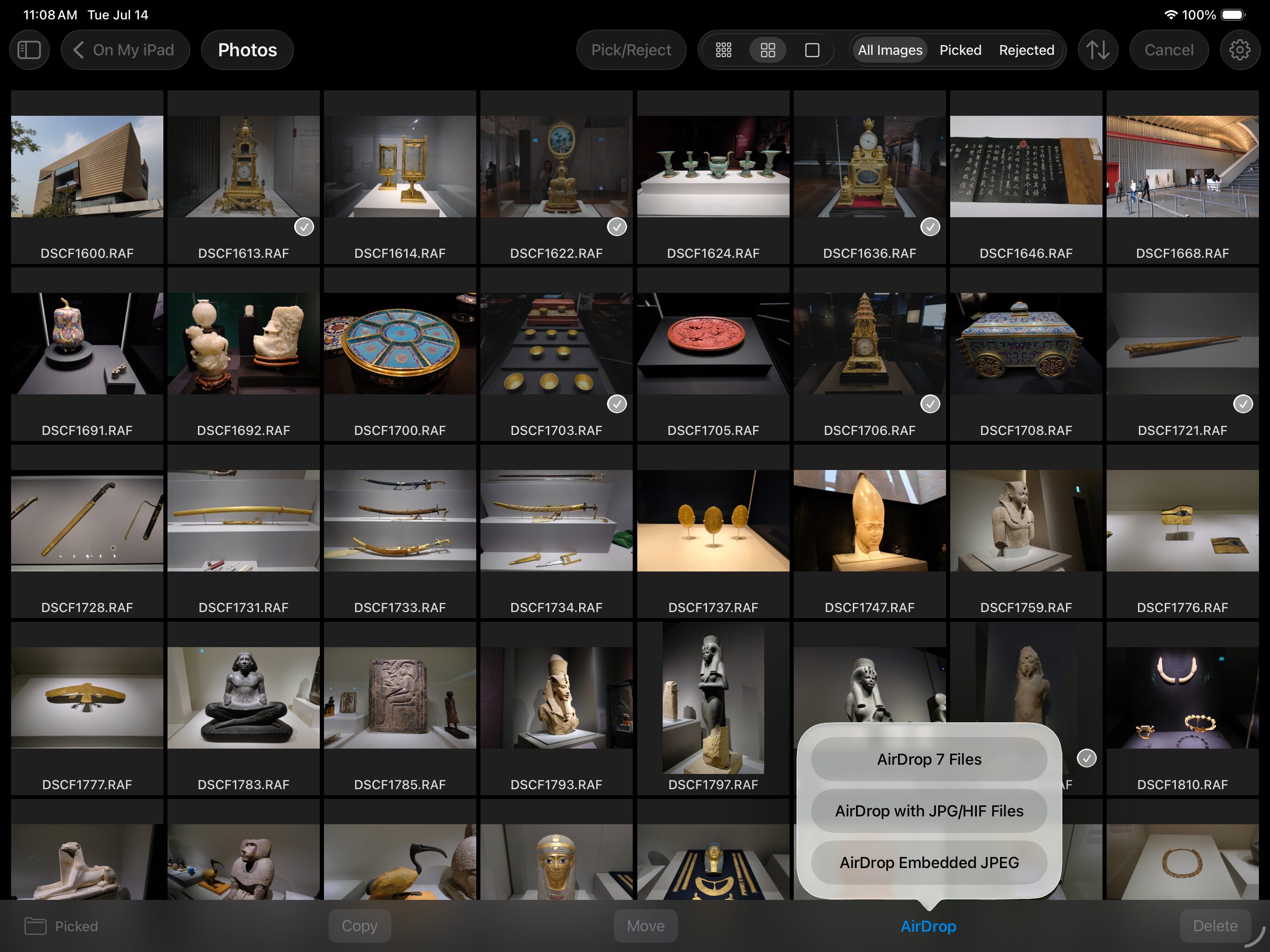
AirDrop the original RAW files, include their JPG/HIF pairs, or extract lightweight embedded JPEGs when you just need to share how the shot looks — straight from the contact sheet.

ApolloOne GO AirDrop menu offering original files, JPG/HIF pairs, or embedded JPEG

The ApolloOne Pipeline, to Go

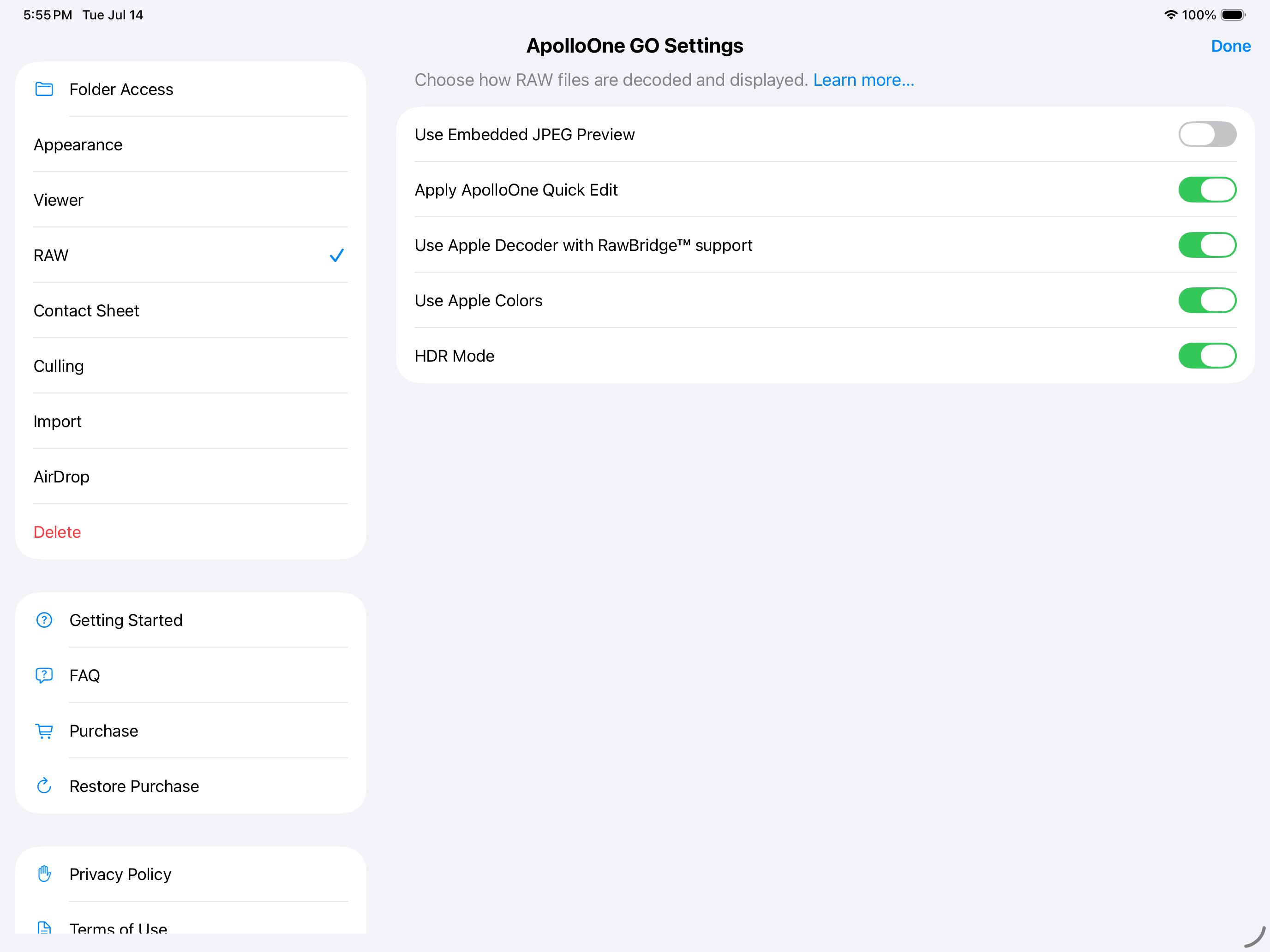
Choose Apple's decoder with RawBridge™ support — opening RAW formats iPadOS can't handle on its own — or flip to embedded JPEG previews for maximum browsing speed. Quick Edit adjustments made in ApolloOne travel with your files, and GO applies them on display — so the image you adjusted on the Mac looks the same in the field.

ApolloOne GO RAW settings with Apple decoder with RawBridge support, Apply ApolloOne Quick Edit, and HDR Mode toggles
ApolloOne GO icon

ApolloOne GO is coming soon

ApolloOne GO 1.0 is in the final stretch of development and coming to the App Store for iPad and iPhone — as a one-time purchase, no subscription.

Coming soon

Want to hear when it ships? Drop us a line and we'll let you know.

* HDR display requires an HDR-capable screen, such as an iPad Pro with a Liquid Retina XDR or Ultra Retina XDR display, or a recent iPhone. SDR devices display HDR images with automatic tone-mapping.